Monday, June 11, 2012
A Quick Look at iOS 6 and Its New Android Features
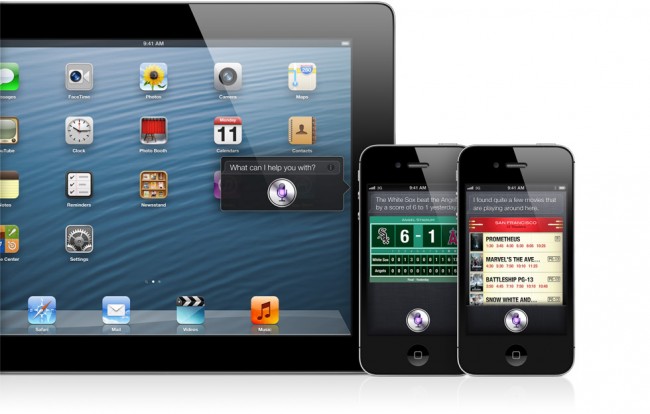
Whenever a new version of iOS is announced by Apple, we usually take a few minutes to look at the features that were highlighted and compare them to Android, since in many cases, Android users have been experiencing the "new" fun for years. With iOS 6, the same can be said again, but to give credit to Apple this time around, we have to point out that words like "reinvented" weren't used much if at all. During today's presentation at WWDC, Apple's execs seemed to give off the impression that they knew they weren't changing the game "again," but were finally adding in features that should have been there long ago.
If you are reading tech blogs across the globe today who insist that iOS 6 is the greatest thing since Zapp's Cajun Crawtator chips, we are here to show you that you can do all of this stuff now on your Android device and more.
Maps
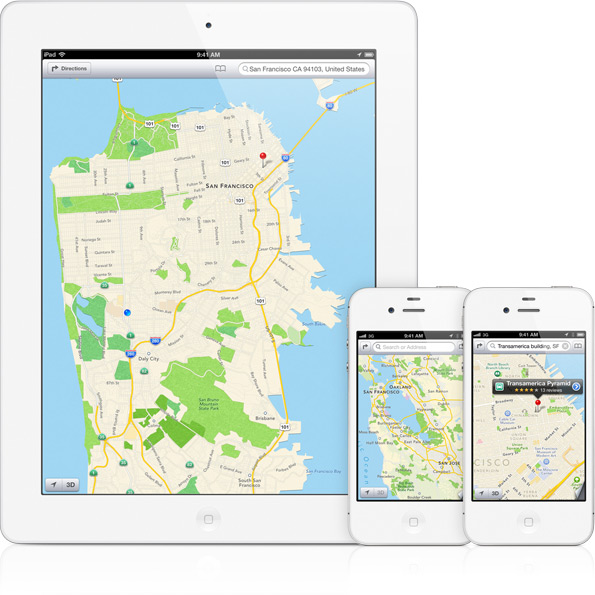
Apple did indeed kick Google Maps to the curb in favor of their own map solution, dubbed "Maps." From what we could tell, it's your standard maps + navigation app that Android users have enjoyed for years now. They have 3D images of cities, turn-by-turn directions with voice, traffic and route recommendations, etc. No reinventing here, especially without transit directions (that we know of), offline maps, and social integration, all of which are embedded in Google Maps.
Safari and Tab Syncing
For those with Chrome installed on a computer and Android phone, you know that Chrome has had tab syncing across devices for almost 2 months now. Apple introduced it to iOS 6 and Safari today, but since no one uses Safari, I'm not sure how useful this can actually be to iOS users. Chrome is the most popular browser in the world and has this feature already included. Then again, this is Apple's way of getting you to use Safari on a desktop if you want to take advantage of syncing. Sorry, iFolks.
Facebook Integration
As they did with Twitter in iOS 5, Apple announced "deep" Facebook integration. You can now post to Facebook in an instant, share URLs quickly, and allow it to sync with your calendar and contacts. Android users, you can do all of this with much more than just Facebook and Twitter. In fact, almost every single app that needs it, has sharing capabilities. If you want to share something with Pocket or Google Drive or Dropbox or Gmail or Facebook or Twitter, you can, just by hitting the share button. You aren't locked into only sharing things with Twitter and Facebook. Calendar and Contact integration has also been there for longer than I can remember. Google removed it a tad with stock ICS, but custom skins from HTC, Samsung and Motorola all kept it in.
Siri
The coolest thing I saw today during the iOS 6 presentation was Siri returning sports scores and stats. With each Siri knock-off Android app, one of the first questions I always ask
